Framestack AI Builder

The open source AI agent builder where code is the source of truth

Most visual builders show a step as green the moment you add it. Framestack only lights a step up once your app has really run through it and worked — proof it works, not just that it exists.

Get started See how it works open source · self-hosted · MIT
flows / support-agent run
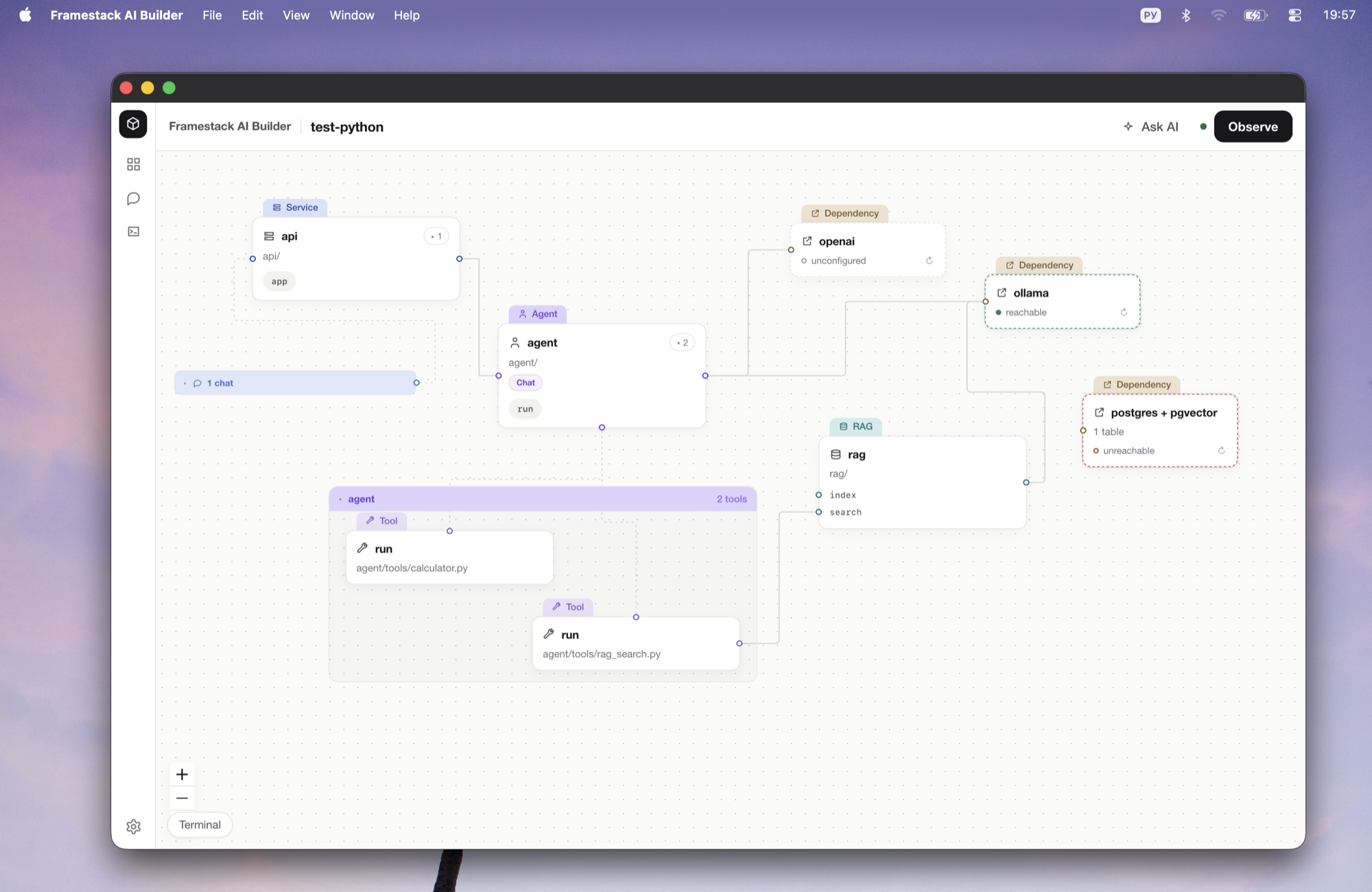
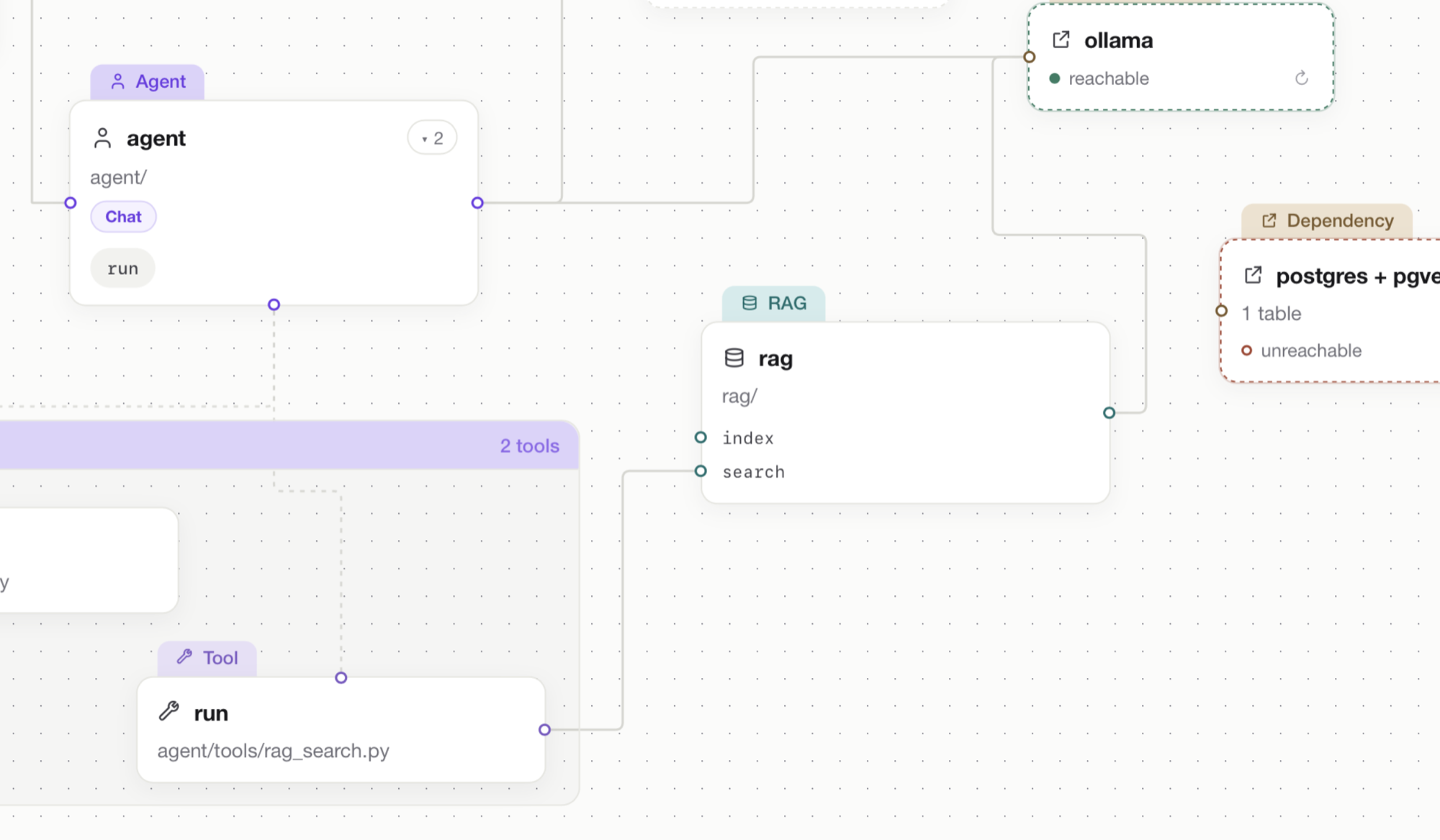
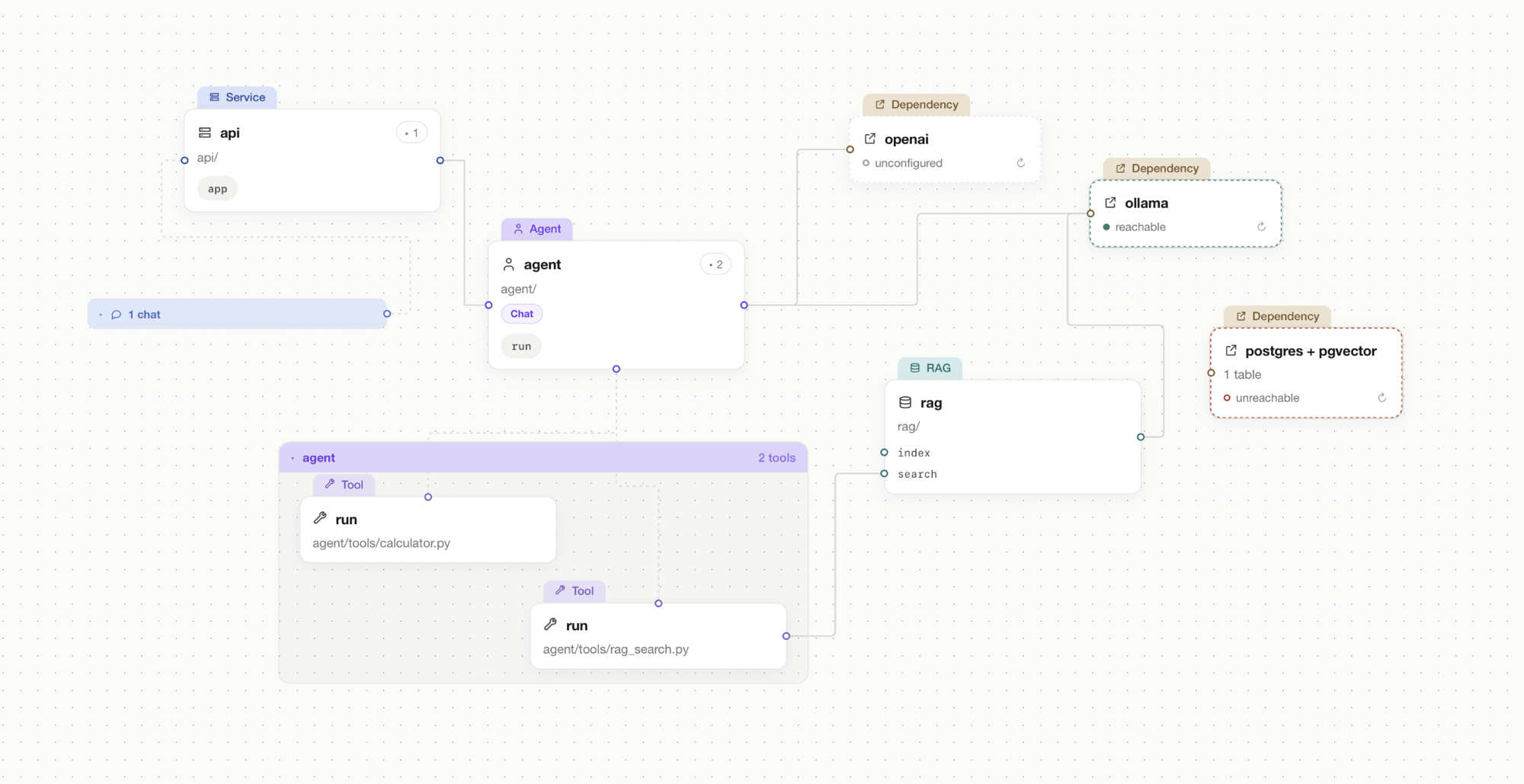
Framestack AI Builder canvas showing a Python node graph with a proven Agent node highlighted

The problem

Everything's green. Nothing's proven.

You wire up a flow, every box lights up, and you still can't tell if it actually runs. Then you export it and get tangled code nobody wants to own. The picture and the real app drift apart — and you're the one who finds out in production.

How it works

Code writes the graph. Tests color it.

Step 1

Start from real Python

Describe your app in plain Python — or let the built-in AI write it for you. It's just your code, with nothing exotic to learn.

Step 2

The canvas draws itself

Framestack reads your code and lays it out as a graph for you. There's no extra file to keep in sync — your code is the project.

Step 3

Edit whichever side you like

Drag things on the canvas and your code updates. Edit the code and the canvas follows. The two never drift apart.

Step 4

You see what actually works

Run your app and Framestack lights up every part that did its job. What you see is proof — not decoration.

code ⇄ graph
flows/support_agent.py
from framestack import bp

@bp.route("POST /chat")
def chat(msg: str) -> str:
    # retriever → agent → mcp:search
    ...
Agentproven
Retriever

The graph is a two-way projection: edit either side and the other follows.

Proof, not guesswork

You can trust what's done

This is the heart of Framestack. A part of your app is only marked proven once it has really run and done its job. If something can't be checked, it stays unmarked — so you never get a signal that lies.

Proven — green

Your app ran through this part and it worked. That's the only way it counts as proven.

Not proven yet

Nothing has run through this part yet. It isn't broken — it just hasn't proven itself, so it makes no promises.

Couldn't check

Something got in the way of checking this part, so it stays grey. “Couldn't check” never becomes “looks good.”

So when you hand your project to a teammate or push it live, "done" isn't a hope — it's the parts you've watched work with your own eyes.

What you can build

27 node kinds across 8 families

Everything in the registry compiles to real, runnable Python. Support covers what is listed here — nothing is faked in.

FastAPI
Stand up an HTTP service with routers and routes, and configure it through settings.
service · routers · routes · settings
LangGraph
Build an agent as a reasoning loop over shared state, wired to nodes and tools.
agent · state · nodes · tools · settings
RAG
Compose a retrieval pipeline from its stages, each a node you can inspect and run.
pipeline · chunking · embedding · retrieval · generation
MCP
Expose your own MCP server and tools, or consume a third-party server as a node.
your server · your tools · consumed server
Queues & background work
Run work off the request path with Celery workers and tasks.
Celery workers · background tasks
Containers
Package and orchestrate the app with Docker and Compose.
Docker · Compose
Database
Attach a relational database the rest of the graph can read and write.
database
Vector store
Attach a vector store for embeddings and retrieval.
vector store

How it compares

Same canvas idea, different mechanics

A Langflow, Flowise, n8n or Dify alternative for developers — with one big difference in what you actually end up owning.

How other visual builders and Framestack compare on what your project really is, adding a step, what "done" means, leaving the tool, and lock-in.
  Other visual builders Framestack
What your project is A diagram in the tool's own format. Your real Python code.
Adding a step Drops another box on the diagram. Adds real code you can read and run.
What “done” means You added the box. Your app ran through it and it worked.
If you stop using it It stops working without the tool. Your project keeps running on its own.
Lock-in You're tied to their platform. None — it's just a Python project.

No lock-in

Deploy your project anywhere. It doesn't need Framestack.

What you build is a normal Python project — not something trapped inside our tool. Ship it to your own servers, hand it to your team, or stop using Framestack entirely. It keeps running without us.

It's your code from start to finish — no hidden runtime.
Runs anywhere Python runs: your servers, your keys, your data.
Walk away from Framestack and nothing breaks.
your project
# it's just Python
$ python -m app     # runs on its own — no Framestack needed

Honest caveats

Where it is today

It's early

Framestack is version 0.1.0 and open source. It's well-tested (578 tests), but still young — expect a few rough edges.

Does what's in the box

It supports the building blocks in its library — agents, RAG, APIs, tools and more. It's not “every framework under the sun.”

A desktop app you build

It's a desktop app you build from source (you'll need Rust), and the Mac builds are made on macOS.

The AI helper

The built-in AI that writes code for you needs Claude Code installed on your machine.

Open source

Free, MIT, and yours to read

Framestack AI Builder is MIT-licensed. Read the source, run it locally, open an issue, send a pull request. No account, no cloud, no pricing page.

FAQ

Questions engineers ask

What is Framestack AI Builder?

Framestack AI Builder is an open-source, self-hosted visual AI agent builder for Python. You draw agents, RAG pipelines, FastAPI services and MCP servers as a node graph that is a two-way projection of real code — edit either side and the other follows. It is MIT-licensed and runs as a desktop app.

How is this different from Langflow, Flowise or n8n?

Unlike Langflow, Flowise or n8n, Framestack keeps your code as the single source of truth instead of a JSON flow document. There is no manifest and no graph file; the graph is read from your Python. A step is only marked proven once your own tests run through it and pass.

Does it lock me into a runtime?

No. What you build is an ordinary Python project you can deploy anywhere. One command removes Framestack from it completely, leaving code that behaves exactly the same. Delete Framestack and your project keeps running — there's no vendor lock-in and nothing to migrate off.

What does it mean when a node is green?

It means that part of your app has really run and worked — your own tests went through it and passed. If something can't be checked, it stays grey instead, so “couldn't check” never turns into “looks good.”

Can I use my existing Python project?

Yes. Framestack reads your existing Python and lays it out as a graph, so you can point it at a project you already have. Edits you make on the canvas are written straight back into your code, touching only what you changed. You can keep editing by hand in any editor too.

Which frameworks are supported?

Framestack supports eight node families: FastAPI services and routing, LangGraph agents and state, RAG pipelines (chunking, embedding, retrieval, generation), MCP servers and clients, Celery queues and background tasks, Docker and Compose, databases, and vector stores — 27 node kinds in total. Support covers what is in the registry.

Is it free and open source?

Yes. Framestack is free and open source under the MIT license. It is currently version 0.1.0, with 578 tests and a single gate that CI runs. Building from source needs a Rust toolchain, and the .app and .dmg are built on macOS. It is a desktop application.

Do I need an API key or an account?

No account is required — Framestack has no cloud, no sign-in and no hosting, and runs locally as a desktop app. For the AI-agent half that writes code to your project's rules, you need Claude Code installed on your machine.

Where does my code live?

Your code lives locally, in your own repository. Framestack has no manifest and no graph file — the Python in your project is the source of truth. Nothing is uploaded to a cloud, and the built application deploys as a normal Python project on infrastructure you control.

Can I edit the code by hand?

Yes. It's ordinary Python, so you can edit it by hand in any editor. Framestack writes canvas changes straight back into your code, and it notices if the two ever fall out of step — so your hand edits and canvas edits stay in sync.

Start with a blank canvas.

Open source. Run it locally in a few minutes.