Product
Framestack AI Builder
A visual builder for Python that keeps your real code in charge. Lay out your app as a graph, adjust each piece, run it, and ship it as a plain Python project you own outright. The canvas always mirrors your actual code — never a stand-in for it.
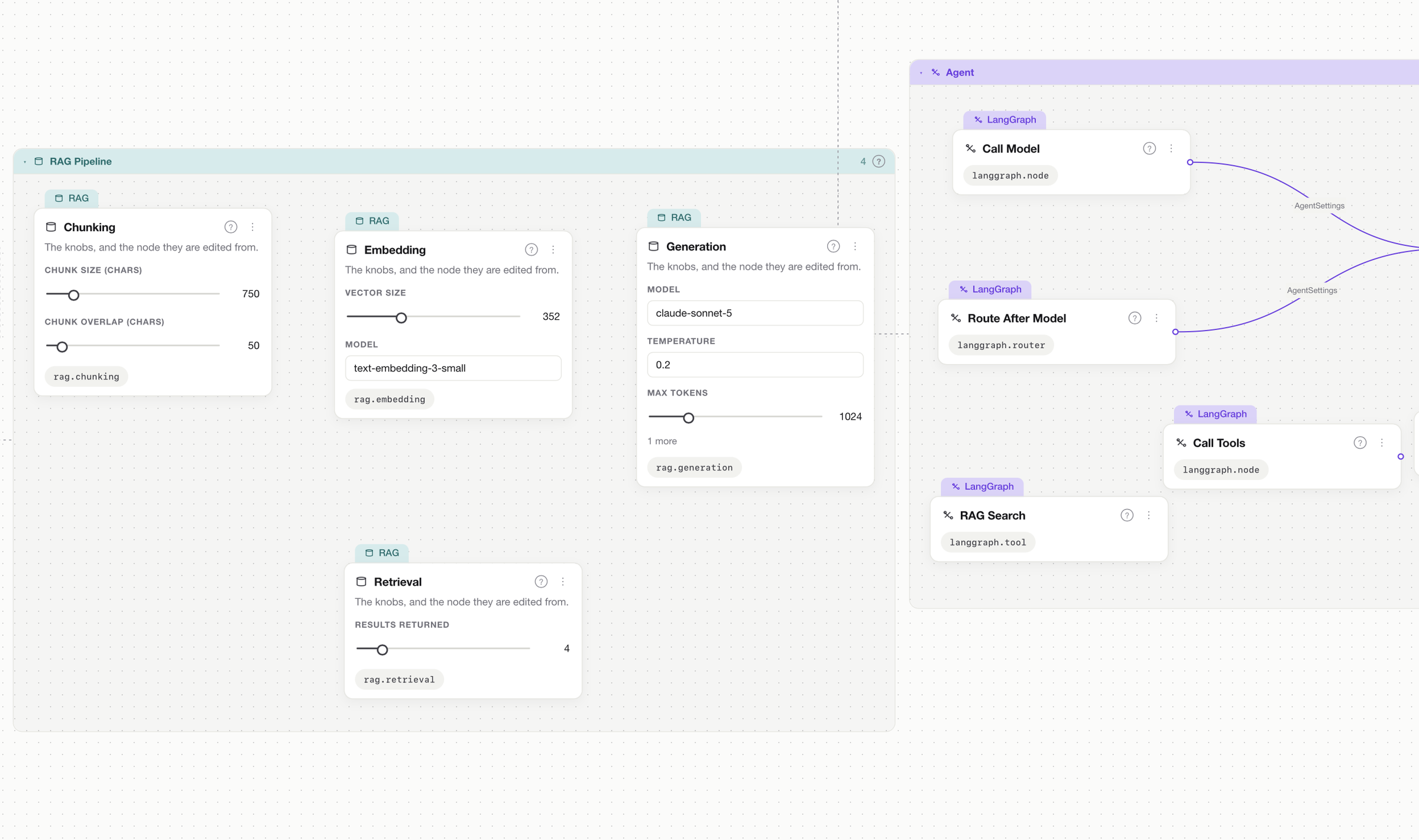
Inspector
Node registry
27 node kinds, in 8 families
Every block on the canvas is real, working code you can read, run and keep. Framestack supports what's in its library — not “every framework under the sun.”
In the workspace
More than a diagram — a place to work
See how it all connects
Framestack shows how your pieces fit together — and, once you run it, how work actually flows between them.
Edit settings in place
Change a node's settings right on its card or in the side panel, and Framestack updates your code for you.
Talk to what you built
Chat with the assembled agent or RAG pipeline from inside the app, and hand documents to a pipeline for indexing.
Run it, stop it, watch it
Start and stop the app, workers and Compose services. A terminal lives inside the app for everything else.
Blueprint catalog
Drop in ready-made pieces that already come with working code — instantly, at no cost.
Agent that writes to your rules
An integrated AI agent writes code that follows your project's conventions. It needs Claude Code installed.
Requirements
What you need to run it
Runs on your machine
It's a desktop app that runs entirely on your own computer, with a Python core doing the real work. Nothing lives in the cloud.
Build from source
A Rust toolchain is required to build. The .app and .dmg are built on macOS.
For the agent half
The integrated code-writing agent needs Claude Code installed on your machine.
Free and open source
MIT-licensed, version 0.1.0, 578 tests and a single gate that CI runs. No account, no cloud.
Quick start
Clone it and open a canvas
Framestack is a desktop app you build from source. Grab the repository, build it with a Rust toolchain, and point it at a Python project — new or one you already have.
strip any time to leave with plain Python.$ git clone https://github.com/ysz7/framestack-ai-builder
$ cd framestack-ai-builder
# requires a Rust toolchain; .app / .dmg build on macOS
# exact build steps live in the README
$ framestack open ./my-python-project
Prove your first node.
Open source. Run it locally in a few minutes.